Every feature, up close.

What Alony does on a call, after it, on outbound and while you run it. Each sample below is interactive: click it.

On the call

What it does while they're on the line

Built by answering questions

A guided wizard builds the agent: eleven steps, with no code, and it's live in a few minutes. The last step draws every path a call can take, and you can edit it, including adding your own questions. Start from a ready-made template for HVAC, chiropractic or finance, or build a custom agent for any business.

  1. 1Start
  2. 2Calls
  3. 3Phone number
  4. 4Website
  5. 5Name
  6. 6Voice
  7. 7Greeting
  8. 8Scripts
  9. 9Knowledge
  10. 10Escalation
  11. 11Call flow

Try the wizard

Listens like a person

A speech recognition model transcribes the caller as they speak. A turn-taking model judges when they've finished, and the agent starts preparing its reply before they stop, so answers come quickly. A language model reads the conversation and decides each reply, and a streaming voice speaks it as it's written.

Small acknowledgements like "mm-hmm" don't make it stop. A real interruption does. Try both.

  1. HearsSpeech recognition, as they talk
  2. Knows they've finishedReply preparation starts early
  3. DecidesA language model reads the call
  4. SpeaksA streaming voice, as it writes
The agent is mid-sentenceSample data

EllaYour appointment is Wednesday at 10:15, and it's already in the calendar, so there's nothing else you need to do.

Caller says

Pick what the caller says.

Six voices

The Closer, The Empath, The Professional, The Energiser, The Advisor and The Friendly Neighbour. Each has an Australian voice and an American one, and some have a New Zealand voice. They sound human. Press play on any of them.

Your own custom voice is on Growth and up

Australian

American

New Zealand

Puts the right calls through

You choose the circumstances a call is put through on, and the hours it can be. Everything else, the agent handles: it takes details, books (with Cal.com or GoHighLevel connected, on Growth and up) or takes a booking request, answers from your files, or takes a message. If no transfer number is set, an urgent call gets an urgent message instead. You set your business hours too.

Northside ChiroSample data

Put through whenThe caller is in severe pain or can't move comfortably.

  1. EllaThanks for calling Northside Chiro, this is Ella. How can I help?
  2. CallerI did my back in lifting a box. Can anyone see me today?
  3. EllaSorry to hear that. Are you in pain at the moment, or is this a routine visit?
  4. CallerIt's bad. I can't really sit down.
  5. EllaOkay. I'm putting you straight through to the clinic now. Stay on the line.

Put through to the clinic

Books while they wait

With Cal.com the agent checks your live availability and books during the call, so the caller hears it's booked. With GoHighLevel it recognises the caller by phone number, books into your calendar during the call, and logs notes, tags and follow-ups afterwards. Alony does the setup: you paste an API key (plus the sub-account ID for GoHighLevel) and pick from your calendars or event types by name.

It books new appointments only. To change or cancel an existing one, it takes a message.

Cal.com and GoHighLevel are on Growth and up. How they connect

Coastline AirSample data
  1. JessCoastline Air, this is Jess, the team's AI receptionist. Am I speaking with Sarah?
  2. CallerYes, hi. The ducted unit is making a grinding noise again.
  3. JessSorry to hear that. I can get a technician to you Tuesday at 9:15 or Wednesday at 1:30. Which suits?
  4. CallerTuesday, thanks.
  5. JessYou're booked for Tuesday at 9:15, and I've noted the grinding noise for the technician.

In GoHighLevel

  1. Caller recognised0491 570 156 is Sarah Mitchell
  2. Free times foundService calls calendar
  3. Appointment bookedTuesday 9:15, Service calls
  4. Note, tag and follow-up addedGrinding noise from the ducted unit

Knows your business

You write the greeting, and the agent answers from your website or the files you upload. Pick a question only your business could answer. Your agent gets its own Australian number: a local one by area code, or a mobile on Starter and up.

Caller Hi, how long is a first visit?

Ella Is that for you, or for a child? Children's visits run a bit differently.

Caller My daughter. She's nine.

Ella For a nine-year-old it's about 30 minutes, and a parent stays in the room. Want me to take your details so the clinic can find a time?

After the call

What you have when it hangs up

Recording, transcript, summary

Every call is recorded, transcribed and summarised in your call history. Open one, read the outcome, filter by what happened and search for a word. This is sample data, so there is no recording to play here; in your own account every call has one.

The email after every call

An email lands in your inbox after every call, on every plan. You choose which sections it includes. Switch them on and off and watch the email change.

Sections in the email Sample data

Call data to your own system

When a call ends, Alony can also send the call's data to a webhook you set up, so your own system gets the data after every call.

The post-call webhook is on Starter and up

Outbound

It rings your leads, too

Calls a new lead back

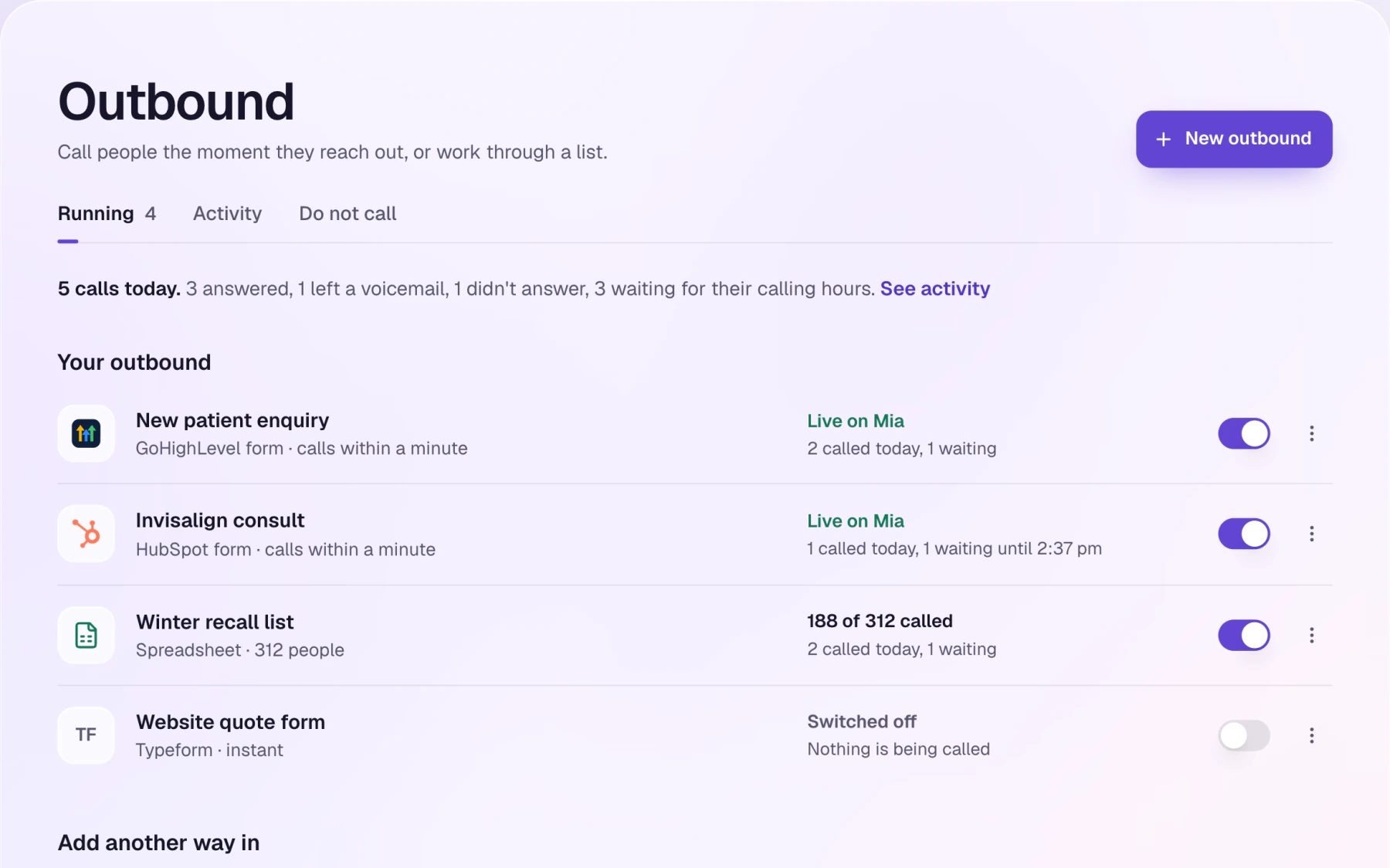
When someone fills in a form on GoHighLevel, HubSpot, Typeform, Jotform, Webflow or your website, the agent rings them. Inside legal calling hours, a new form gets its call within seconds, and forms Alony checks on a timer usually within a minute. It can also work through a spreadsheet list.

You accept the outbound compliance terms before your first outbound call.

Outbound is on every paid plan, not the free trial. More on speed to lead

The Outbound page: a GoHighLevel form, a HubSpot form, a spreadsheet list and a Typeform, each switched on or off, with today's calls.
How the person answersSample data

SamHi Priya, it's Sam from Coastline Air, calling about the quote you asked for on our website. Call us back when you can. Thanks.

Leaves a short message.

Your business can edit this starting flow.

Calling hours and do not call

The agent never calls on Sundays or public holidays, and only inside the hours the law allows in the person's own time zone. Mobiles are only called once it is 9am in Perth.

Your business has its own do-not-call list: numbers the agent never rings. Anyone who asks on a call to be left alone is added automatically.

  1. MonInside legal hours
  2. TueInside legal hours
  3. WedInside legal hours
  4. ThuInside legal hours
  5. FriInside legal hours
  6. SatInside legal hours
  7. SunNever

Running it

How you keep an eye on it

Analytics

Calls, minutes, durations, outcomes and busiest days. Click a day or an outcome to open those calls, and add or remove widgets.

Calendar of bookings

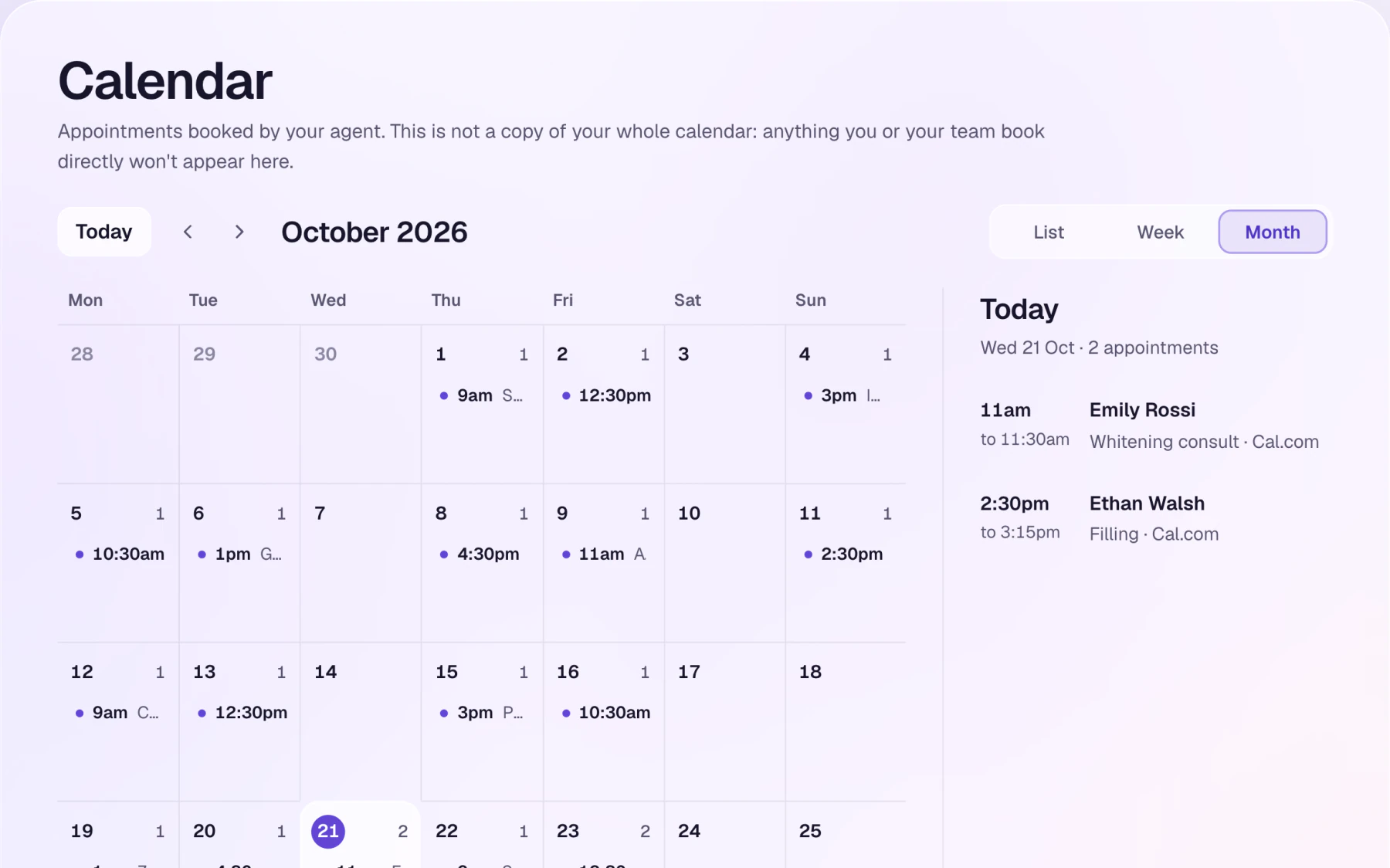
Every appointment your agent booked or took a request for, by list, week or month. It shows what the agent booked, not a copy of your whole calendar: anything you or your team book directly won't appear here.

The Calendar page in month view for October 2026, with a day's two appointments listed beside it, both booked through Cal.com.

Support tickets

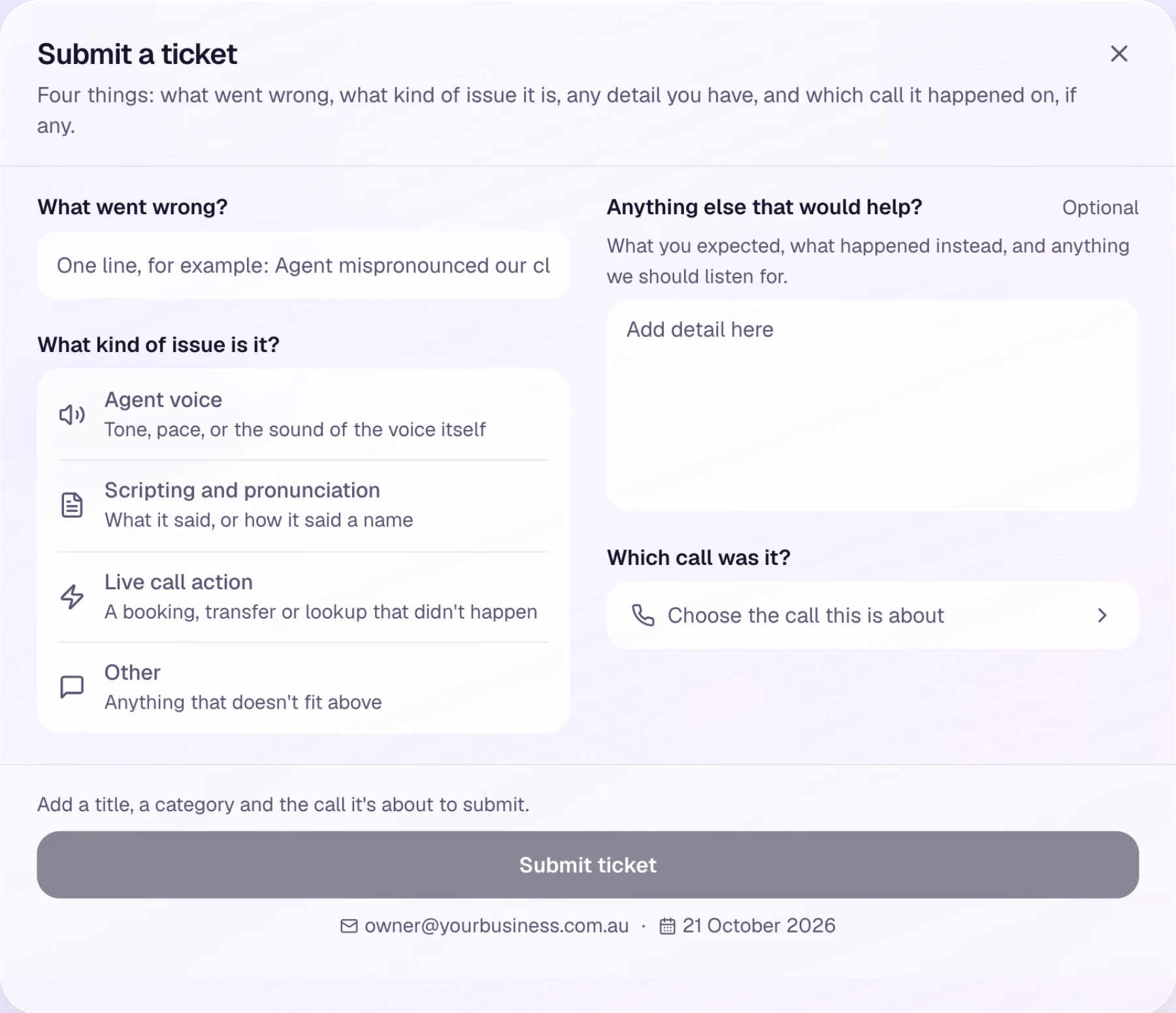
If the agent got something wrong, say so against the exact call it happened on. Pick the call, say what kind of issue it was and add a line of detail. The ticket is tied to that call.

Support tickets are on Starter and up

Submit a ticketSample data

Which call was it?

What kind of issue is it?

Ticket: Live call action on the call with David L., Yesterday, 4:20 pm

The real Submit a ticket form: what went wrong, the kind of issue, any detail, and which call it was.
The real form.

Your team

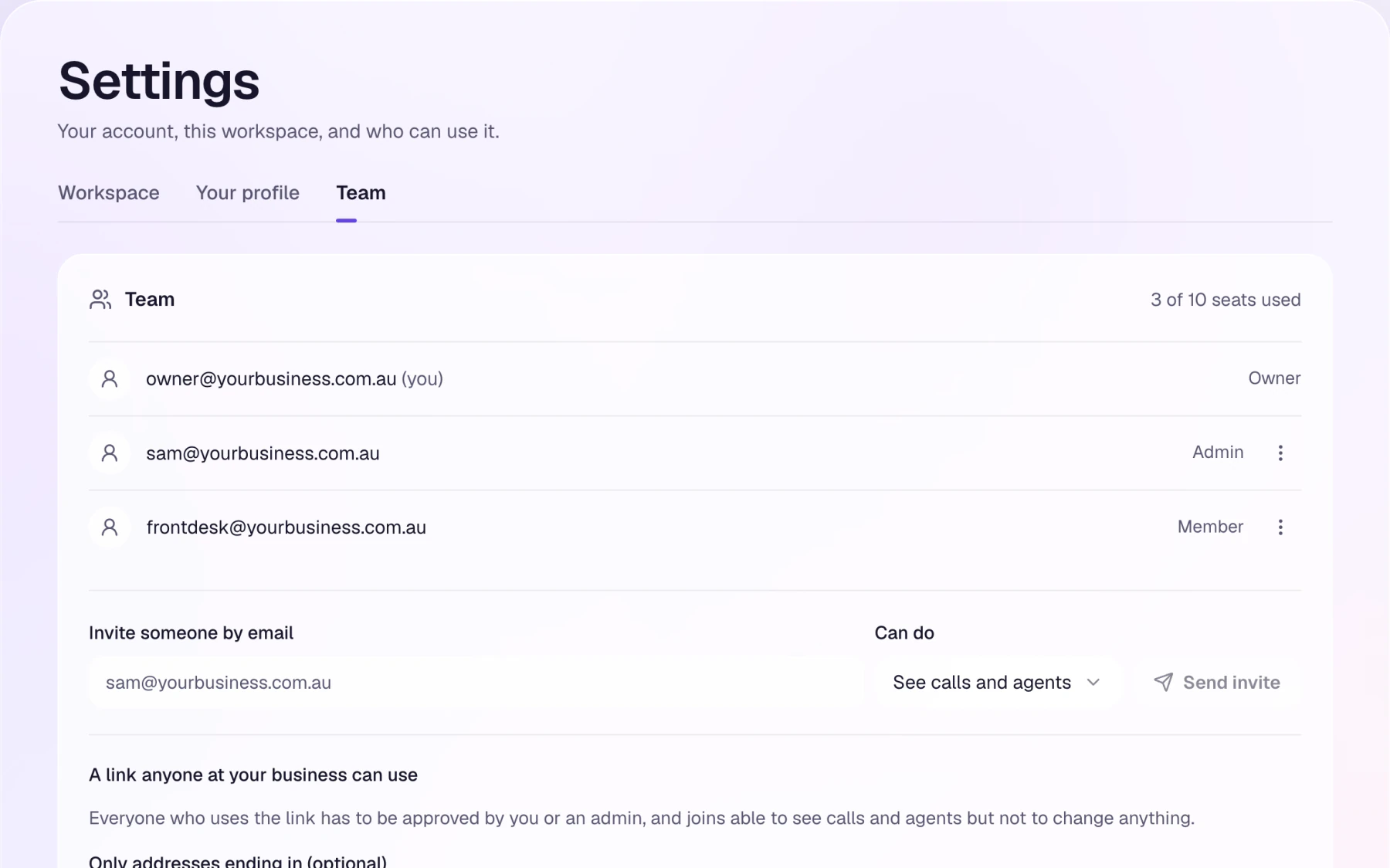
Invite people by email as an Admin or a Member, or share a link that anyone at your business can use. Whoever uses the link has to be approved by you or an admin, and joins able to see calls and agents but not change anything. You can limit the link to your own email domain.

Team settings: an owner, an admin and a member, an invite by email, and a link anyone at the business can use.

Agencies

An agency runs many clients' agents from one dashboard: every client's agents, calls, recordings and tickets, and each client's minutes against its allowance. From the dashboard it can ask Alony to link a new client or build an agent for one it already has, and Alony builds it. On Enterprise the dashboard carries the agency's own logo and colours. Flip it.

How agencies use it · Talk to us

Sample: a made-up agency
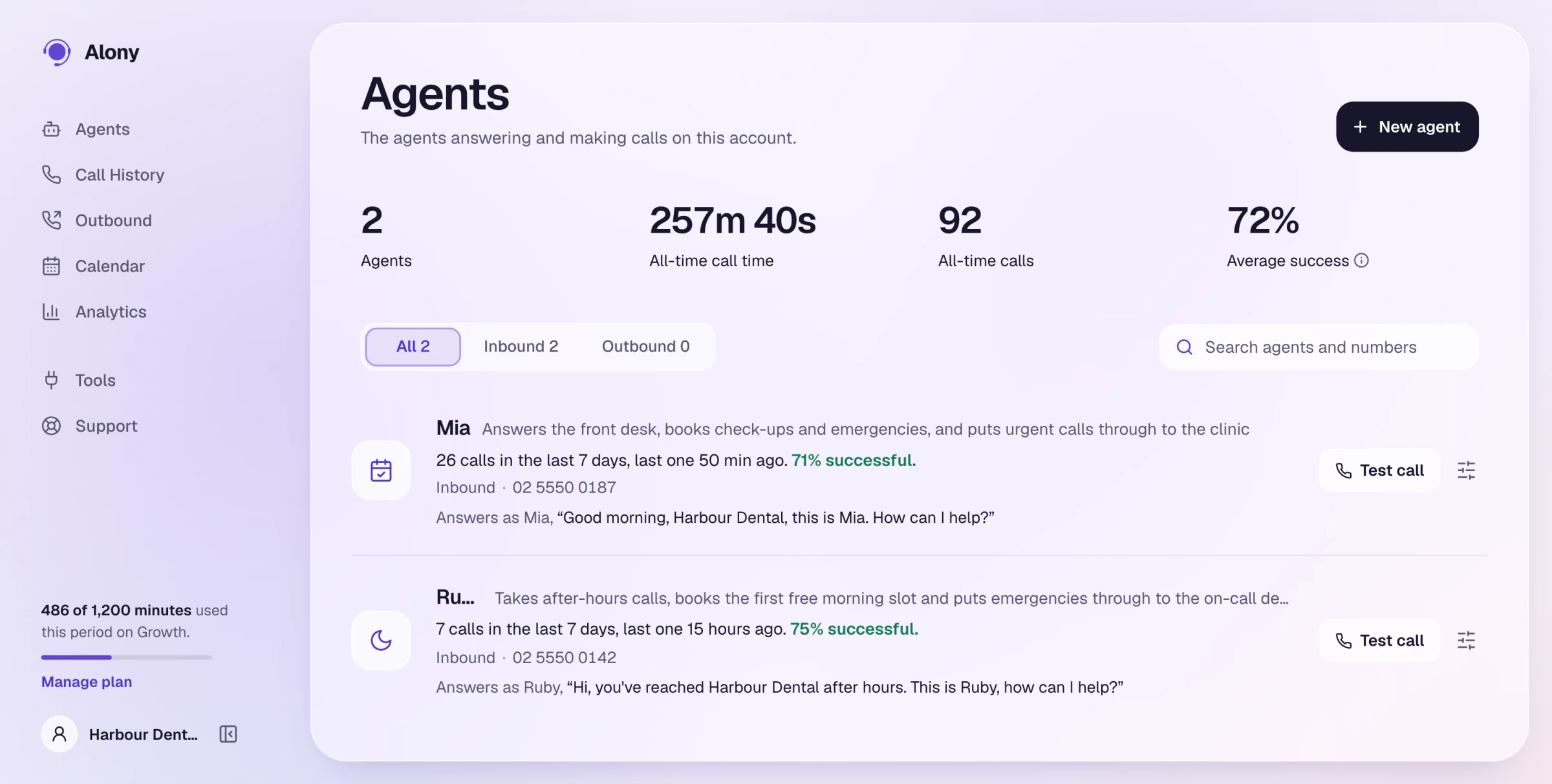
The agents screen, switching between Alony's brand and a sample agency's logo and colours

Honestly

What it doesn't do

  • It doesn't change or cancel a booking. A change becomes a message to you.
  • It doesn't send text messages. Notifications are by email.
  • It doesn't set up call forwarding. You can forward your number to your Alony number yourself, through your phone provider.
  • It connects to Cal.com and GoHighLevel from the dashboard. For anything else with an API, enquire about a custom build.

Hear it. Then build yours.

Build your agent in a few minutes and listen to its first call. The trial is free, with no card.

Start free